Save Outlook Email as PDF & Reply Templates
Turn a conversation in Outlook on the web into a clean PDF with every header, and insert reply templates with fields.
Add to Microsoft EdgeSave an email or a whole conversation as a PDF
For anyone who needs a tidy record of an exchange: paralegals, accountants, records officers, support and sales staff. It is a browser extension for Outlook on the web, with work, school and personal mailboxes.
- Install the extension from Microsoft Edge Add-ons.
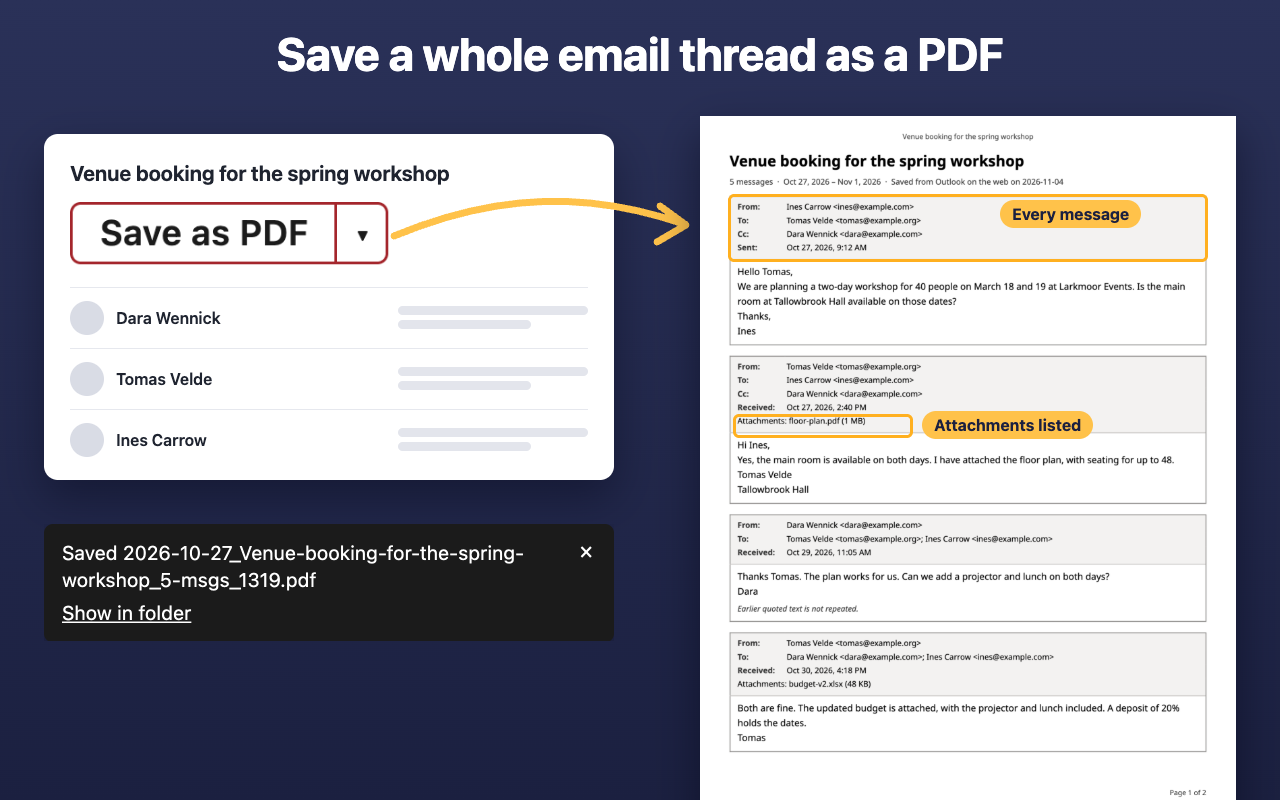
- Open a conversation in Outlook on the web. A Save as PDF button appears next to its subject.
- Click it to save the whole conversation, or choose This message only in its ▾ menu.
The PDF has a header block for every message (From, To, Cc and date) and the names of its attachments, oldest message first, each in its own frame. Earlier messages that Outlook hides behind Show message history are included, and repeated quotes are left out (a setting keeps them). The file is named by date and subject, for example 2026-11-01_Project-update_7-msgs_1319.pdf.
Images from other websites come along only if you choose so: Save with images opens your browser's Save as PDF window with them; Save without images makes the file at once.
Reply templates
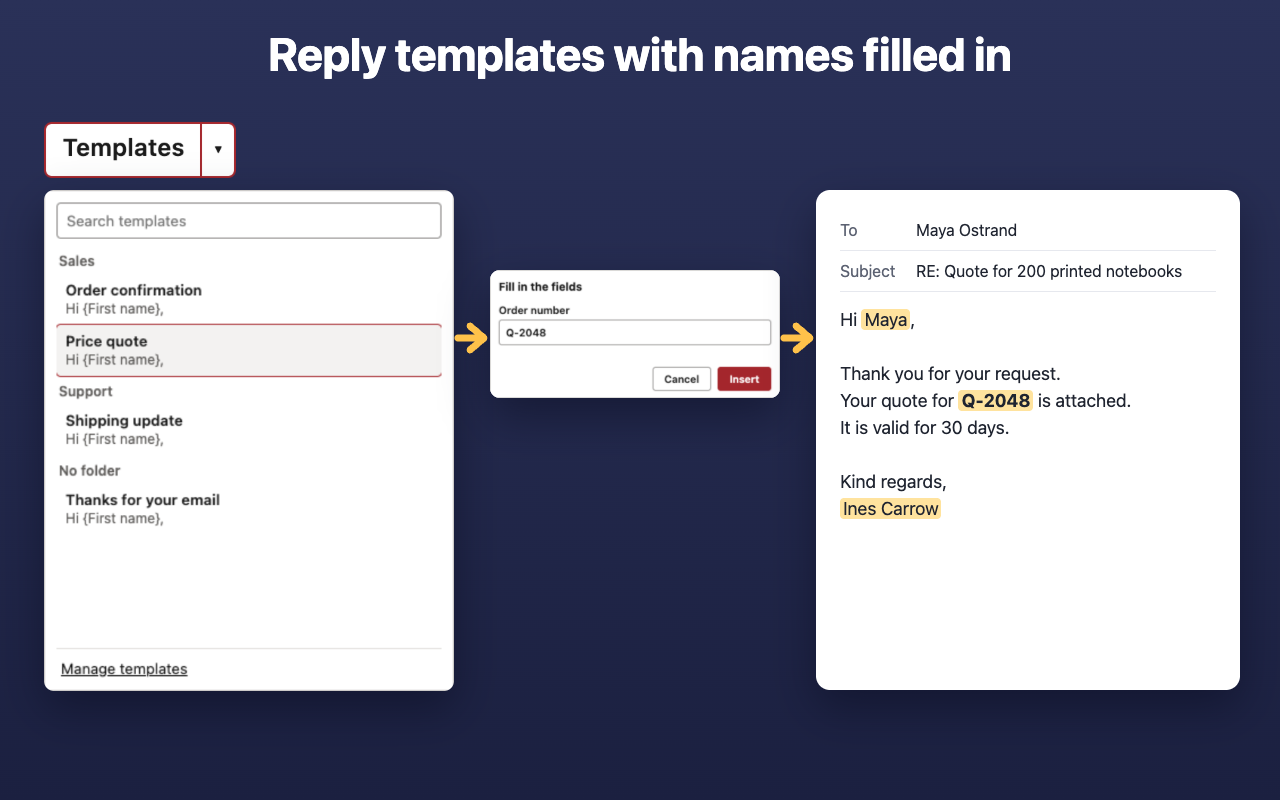
- A Templates button sits in the toolbar of a reply, a reply-all, a forward and a new email. The template you pick goes in at the cursor, above the quoted history and your signature.
- Fields: the first or full name of the person you write to and the subject come from the email; your own name and the date in a format you pick come from your settings; custom fields such as an order number are typed into a small form.
- Search finds a template by name or wording; recently used ones come first, grouped in folders.
- The Manage templates page holds the editor and the folders. Export the whole library as one JSON file to move it to another computer or share it with your team.
Questions
Can't I just print and pick Save as PDF?
Yes, you can. This adds a header in every frame, each attachment listed, a clear title and no repeated quotes. Both ways, step by step: how to save an Outlook email as PDF.
Does it work in the desktop app?
No. Extensions run only in the web version; installed desktop programs do not load them.
Which accounts work?
Work, school and personal ones, opened in a browser tab. Government clouds and self-hosted company servers are not supported.
How do I make an email template in Outlook?
Open the manager from the toolbar icon, write the text, add fields and store it.
Does it cost anything?
No. There is no payment and no account.
Privacy
The extension reads only the conversation you choose, when you click, and makes the PDF in your browser. It stores only your templates and settings in this browser profile, never synced, and sends nothing: no server, no account, no analytics. Images from other websites load only when you choose Save with images.
This site counts page visits with Cloudflare Web Analytics, which uses no cookies. Details are in the privacy policy.
Support
Found a problem or have a question? Write to [email protected] or use Report a problem in the extension's toolbar window.